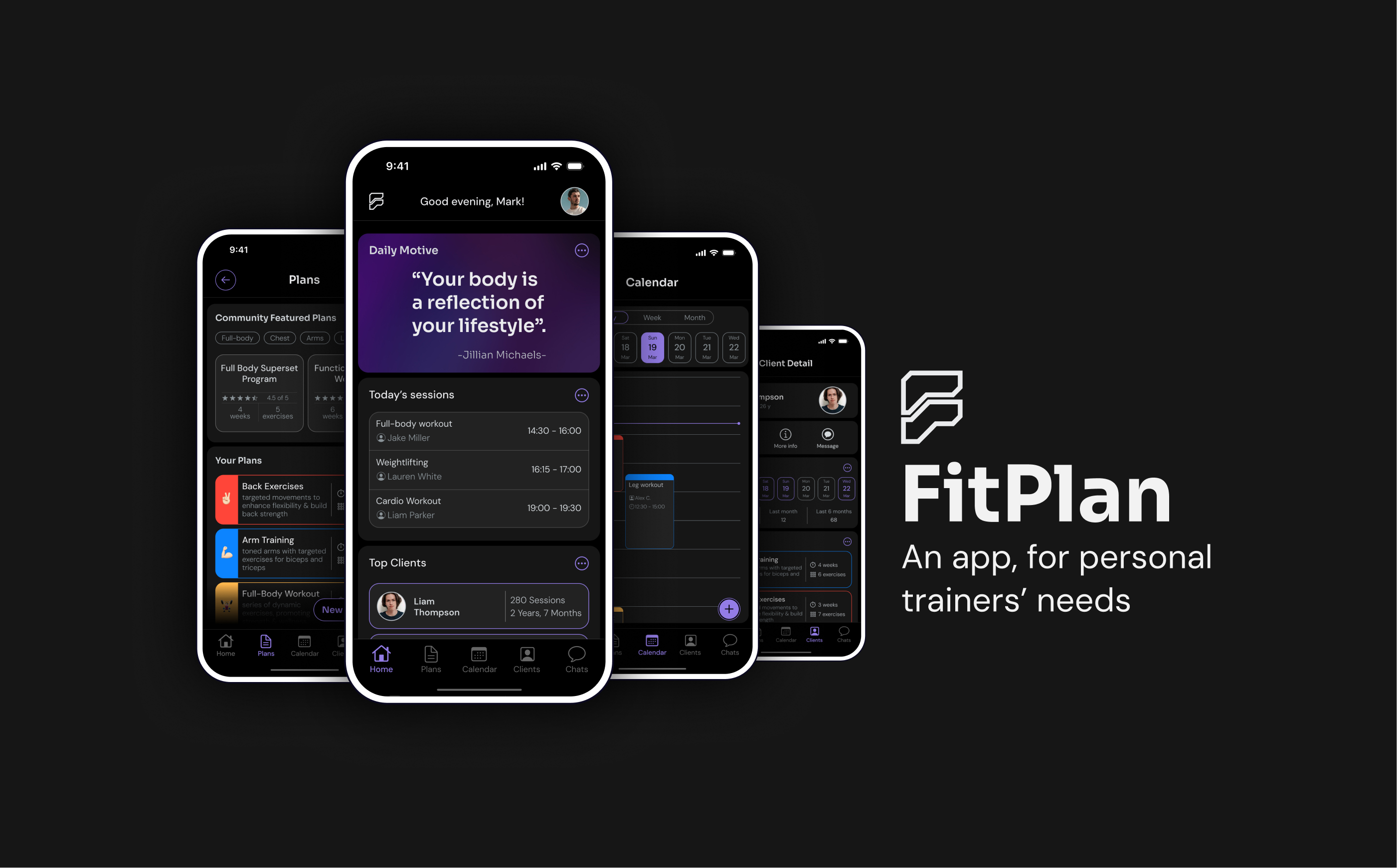
An app, for personal trainers' needs
Role
- UX & UI Designer
- Visual & Identity Designer
Tools Used
- Figma
- Adobe Illustrator
Duration
- 4 Weeks
“FitPlan is a mobile application designed specifically for personal trainers, offering a comprehensive suite of tools to manage and track clients' workout sessions, create and share exercises, securely send and receive messages with clients, as well as serve as a powerful scheduling tool. Unlike other similar websites for trainers, FitPlan offers a mobile app where they can manage all daily tasks right from the palm of their hands.”.
Problem:
Personal trainers face significant challenges due to the limitations of existing tools, which are primarily desktop-based and inaccessible particularly inside the gym. This reliance on desktop platforms prevents trainers’ ability to efficiently manage client schedules, track progress accurately, and maintaining effective communication with clients, especially in dynamic environments like the gym.
Suggested solution:
FitPlan provides a mobile-centric solution that empowers trainers to seamlessly manage their workflow, track progress, and engage with clients anytime, anywhere. By offering a mobile app accessible on the go, FitPlan ensures trainers have the flexibility and convenience to schedule sessions, track client progress, and communicate with clients in real-time, even within the confines of the gym environment. With FitPlan, personal trainers can break free from the limitations of desktop-based tool.
Design Process
UX research:
The first step in the UX research process is to conduct a survey. The goal of the survey is to find out what would be the main problems/pain points of the real users of the application who are Personal trainers.
I reviewed some similar surveys and designed my own. In divided the survey into 5 parts:
Personal questions (age, and the length of experience in the job)
Questions about the clients (their goals like weight loss, muscle gain, and so on)
Their current challenges (like challenges in time management, or how difficult is for them to communicate with a client or plan a program for them, or how hard is it for them to set their schedule and plan)
The application/software they are using currently to manage their plans
The features they expect in a similar app/software
Branding & Logo design:
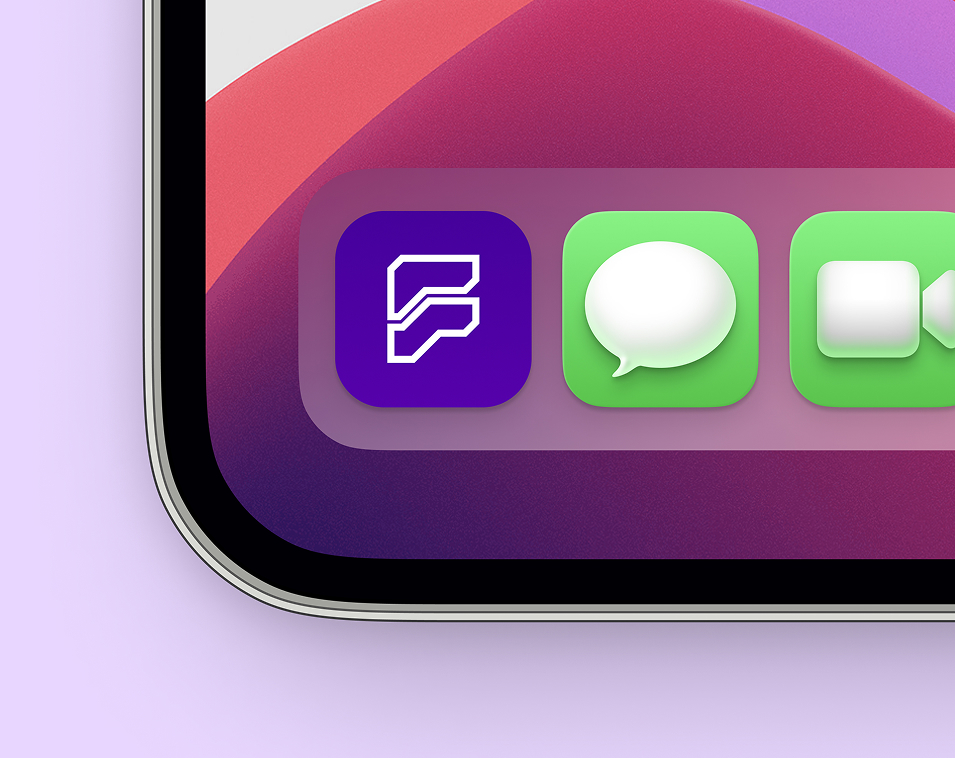
the app name is FitPlan, It clearly demonstrate the essence of the app in two simple words: fit (the goal of the app for clients), and plan (the goal of the app for trainers).
the logo design represents the bold and strong letter “F” symbolizes the strength and power associated with personal training and fitness.
The cut corners further reinforce this impression, evoking the image of a solid, robust object.
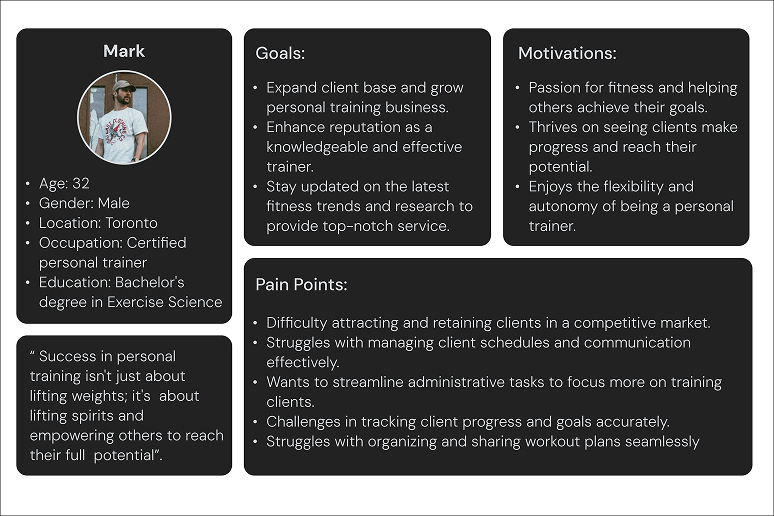
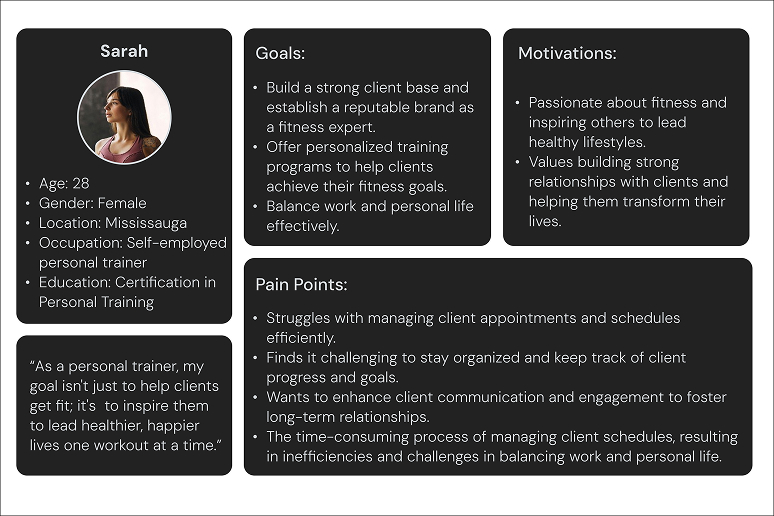
User Persona
To ensure FitPlan meets the needs of personal trainers effectively, I've developed user personas representing typical trainers who will benefit from our app's features.
Pain points (Based on personas)
After studying personas and getting deeper into their pain points, here is the updated list of pain points should be addressed in the design process.
Difficulty managing client schedules efficiently.
Challenges in tracking client progress and goals accurately.
Lack of effective communication and engagement with clients.
Struggles with organizing and sharing workout plans seamlessly.
Difficulty staying updated on fitness trends and research.
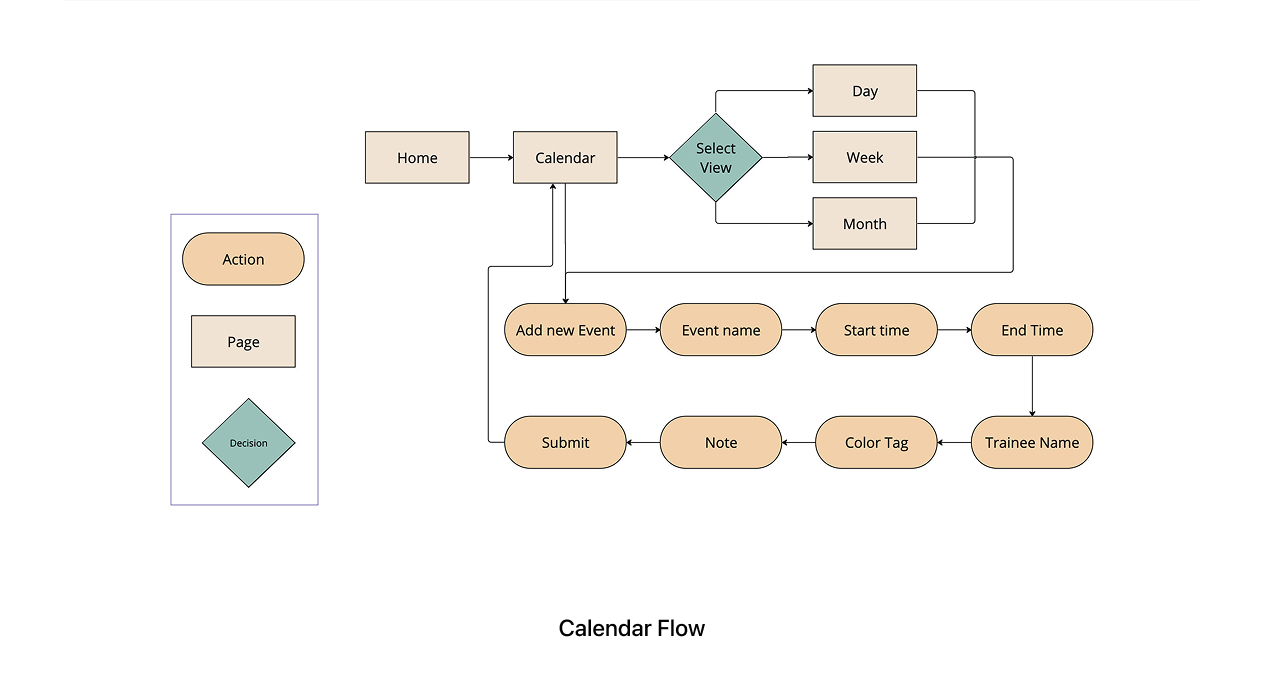
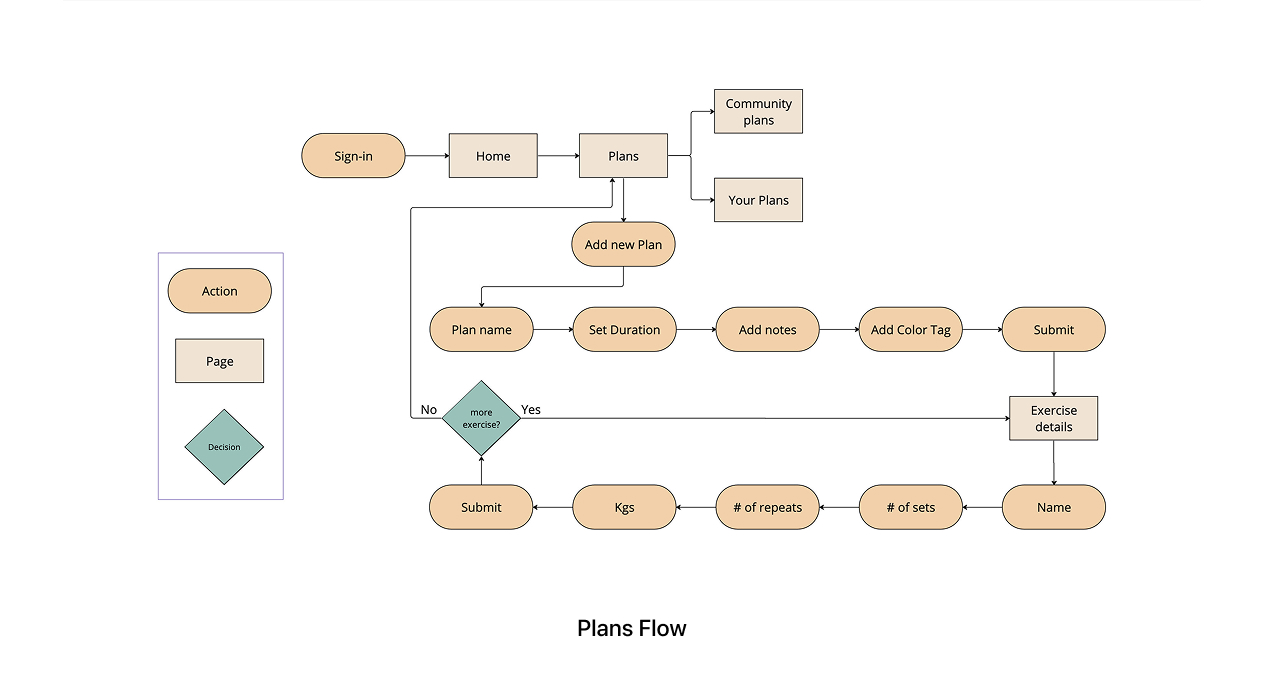
User Flow
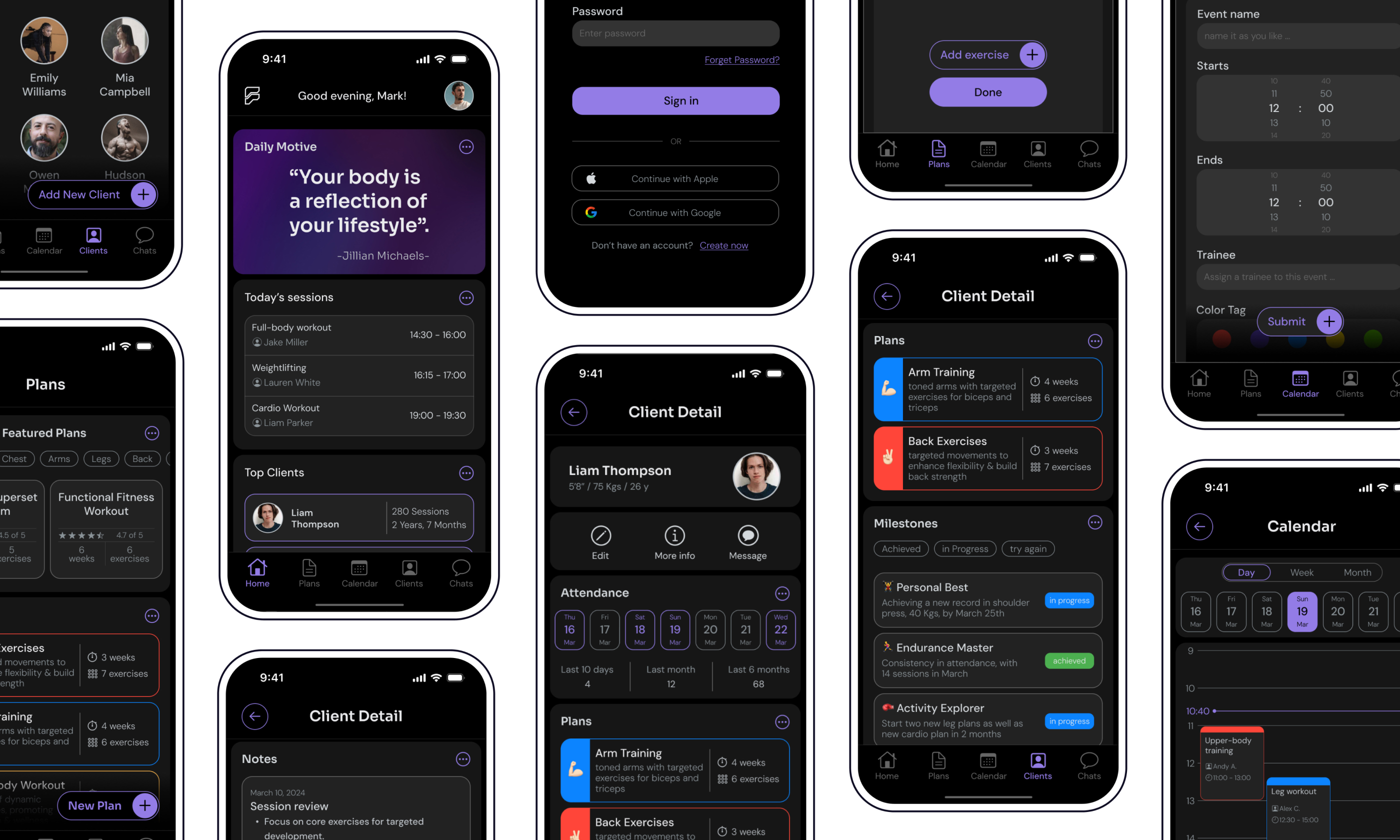
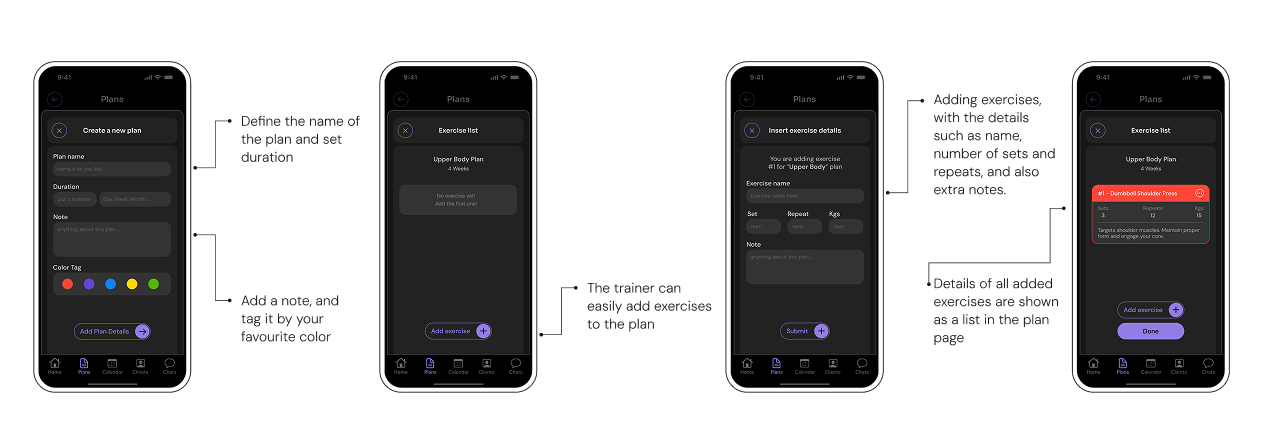
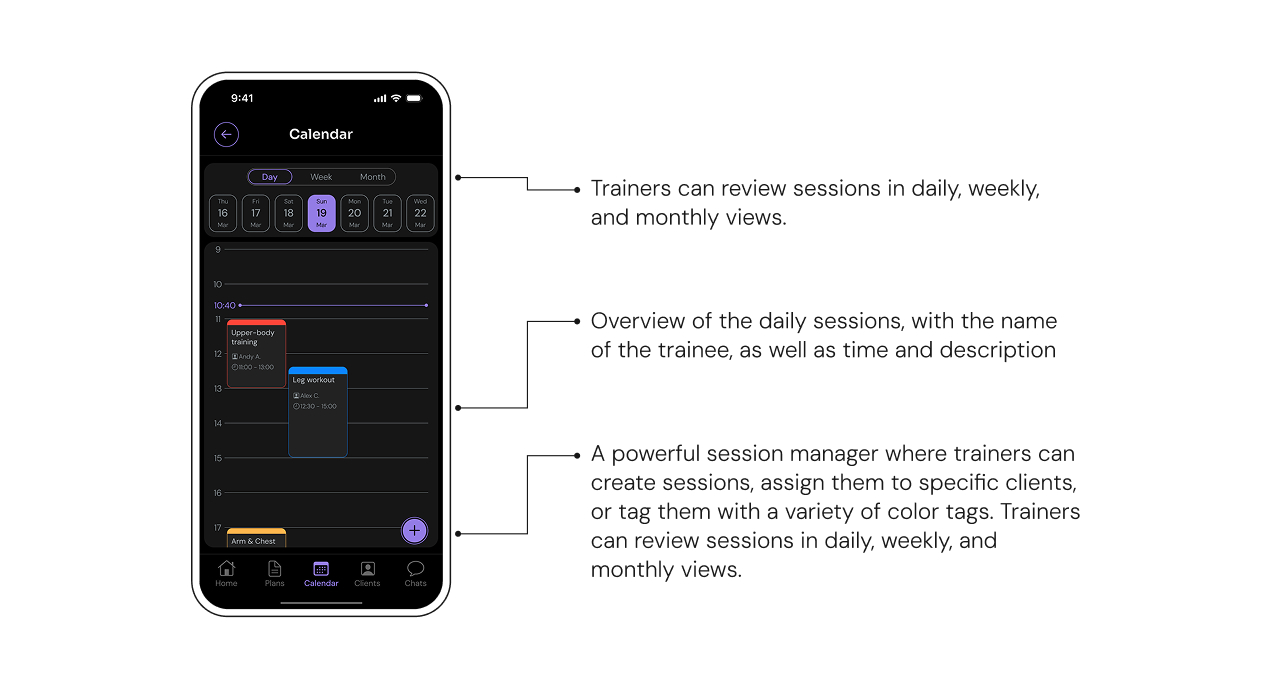
In order to investigate best solutions for most complicated flows of the app, “plan section” and “calendar section”, these two flows have been designed;
Design Features
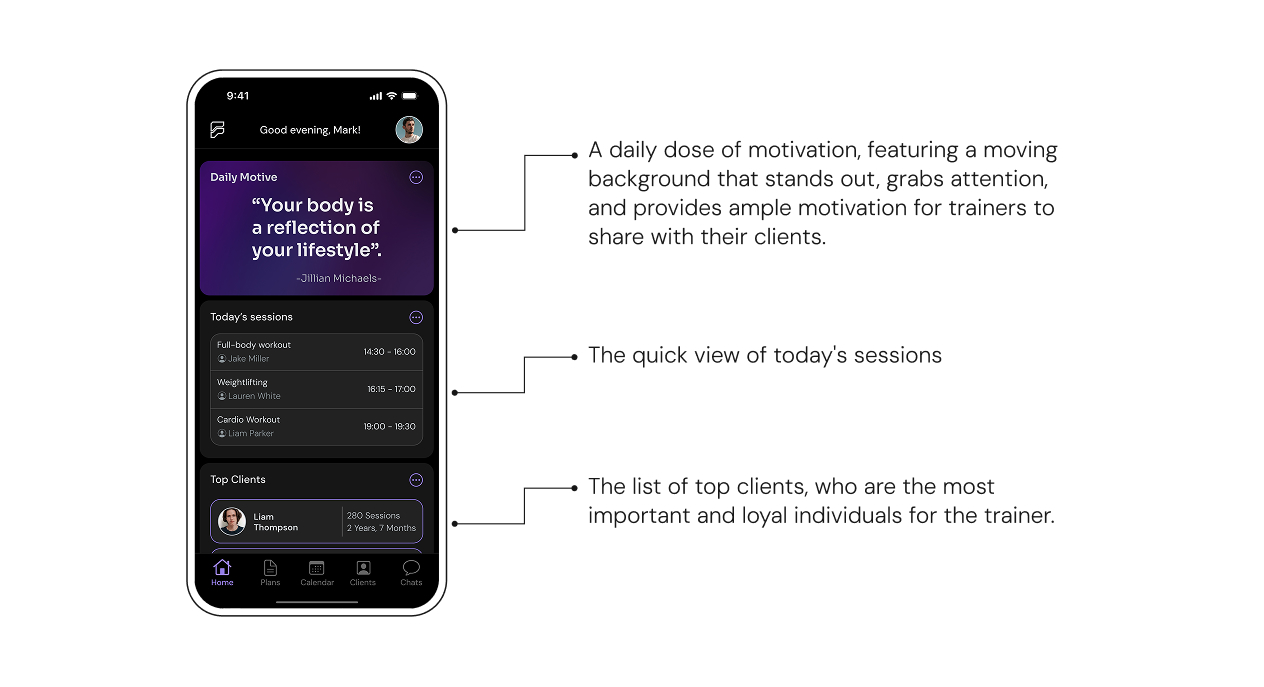
Home Page
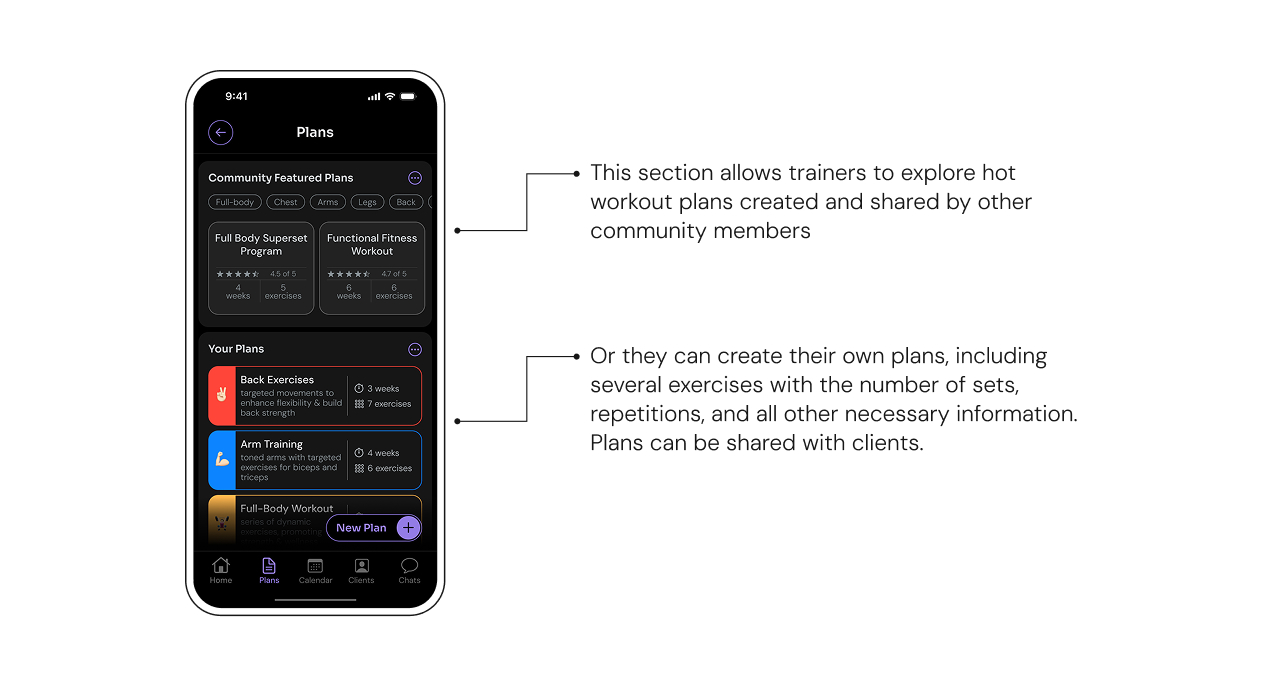
Plans Page
Calendar Page
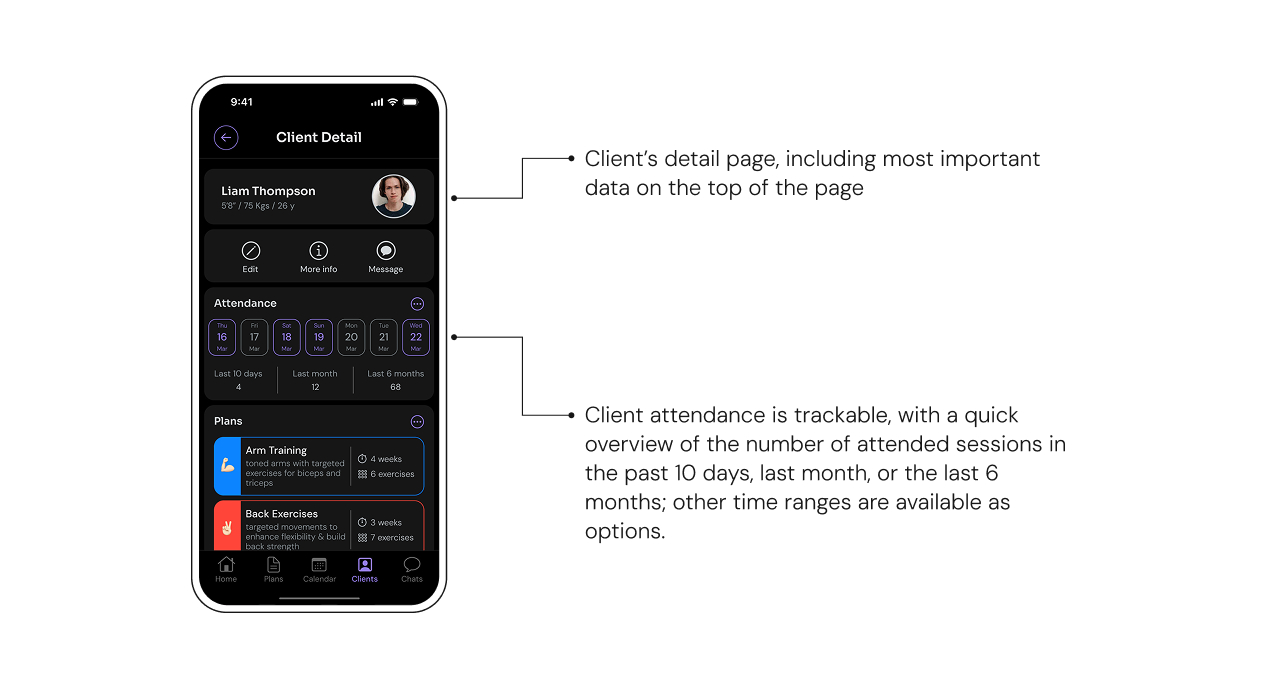
Clients page

UI Design
Dark mode
The app was designed in dark mode, since many personal trainers work in gym environments with dim or low lighting. Dark mode reduces screen glare and minimizes eye strain, providing a more comfortable and visually pleasing experience for users during training sessions.
UI elements
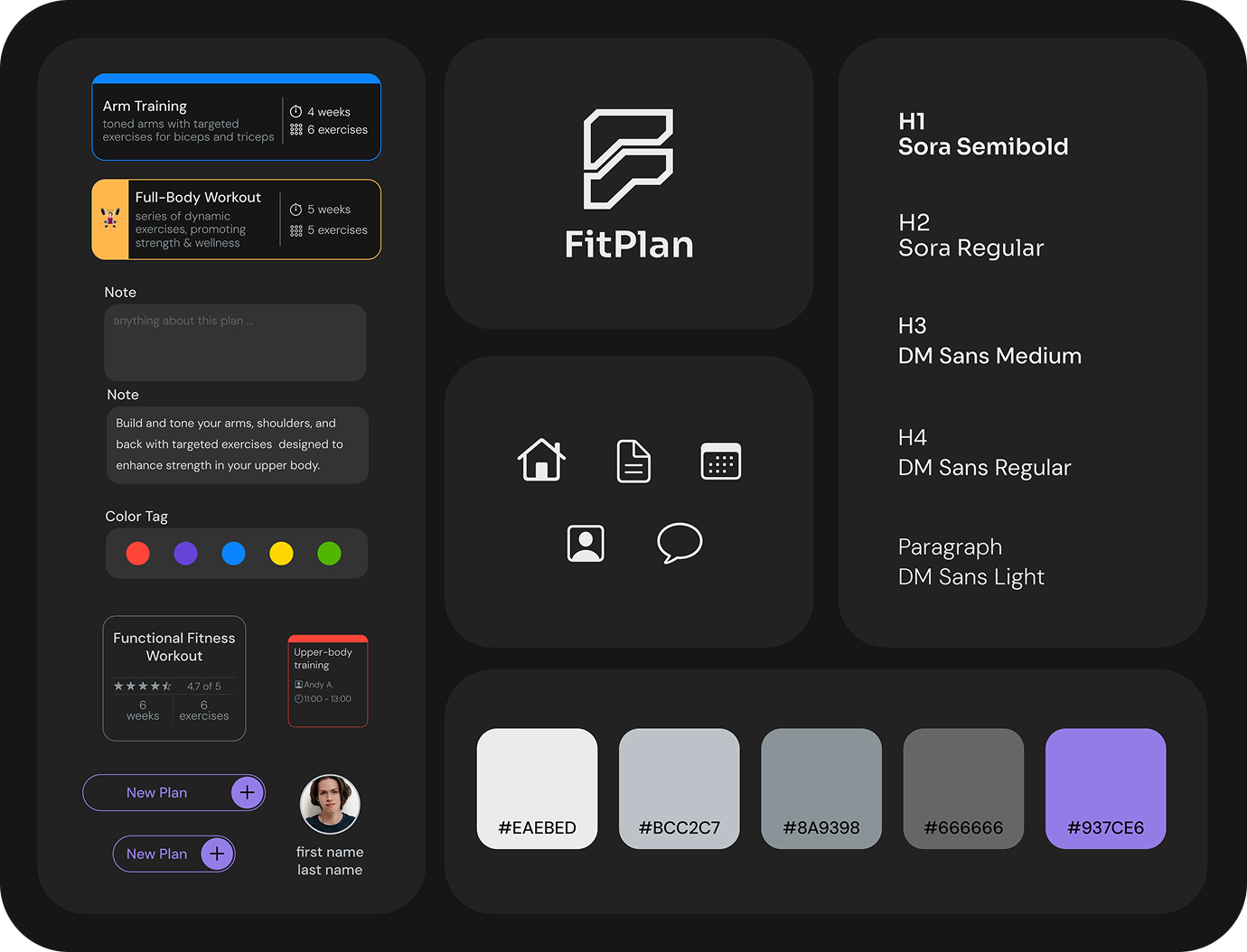
All UI elements have been designed in complete accordance with the dark mode system. The background color is not pitch black, and the whites are not pure white; I aimed to prevent sharp color contrast to make everything less eye-harming. Different shades of grey helped the final design not look boring, but still consistent. I utilized a light purple as the secondary color and also blue, red, and yellow as needed very rarely in the entire design.
final prototype
The high-fidelity Figma prototype; you simply can sign in the app and check all the pages and flows at one place.